
A serverless contact form stops spam by removing the one thing bots attack: the server behind the form. Instead of posting data to your website, the form composes a clear message and lets the visitor send it through WhatsApp, Telegram or email. As a result, every enquiry arrives from a real person, using an app they already trust.
What Is a Serverless Contact Form?
A traditional form sends its data to a server, which stores it and emails you a copy. In contrast, a serverless contact form does all its work inside the visitor’s browser. It collects a few details, writes the message for them and opens their chosen app with everything ready to send.
In fact, your website keeps nothing at all. Instead, the message travels straight from the visitor’s own account to yours.
How It Works
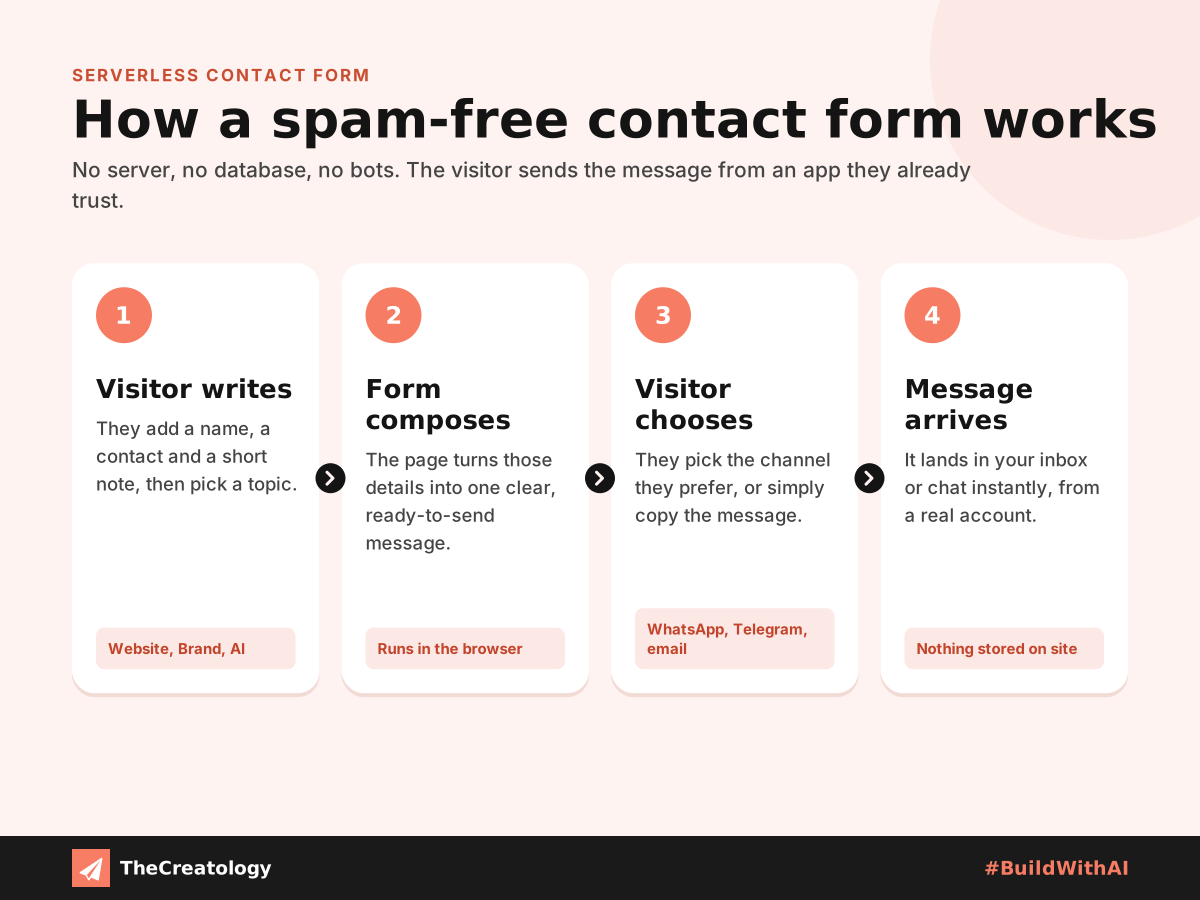
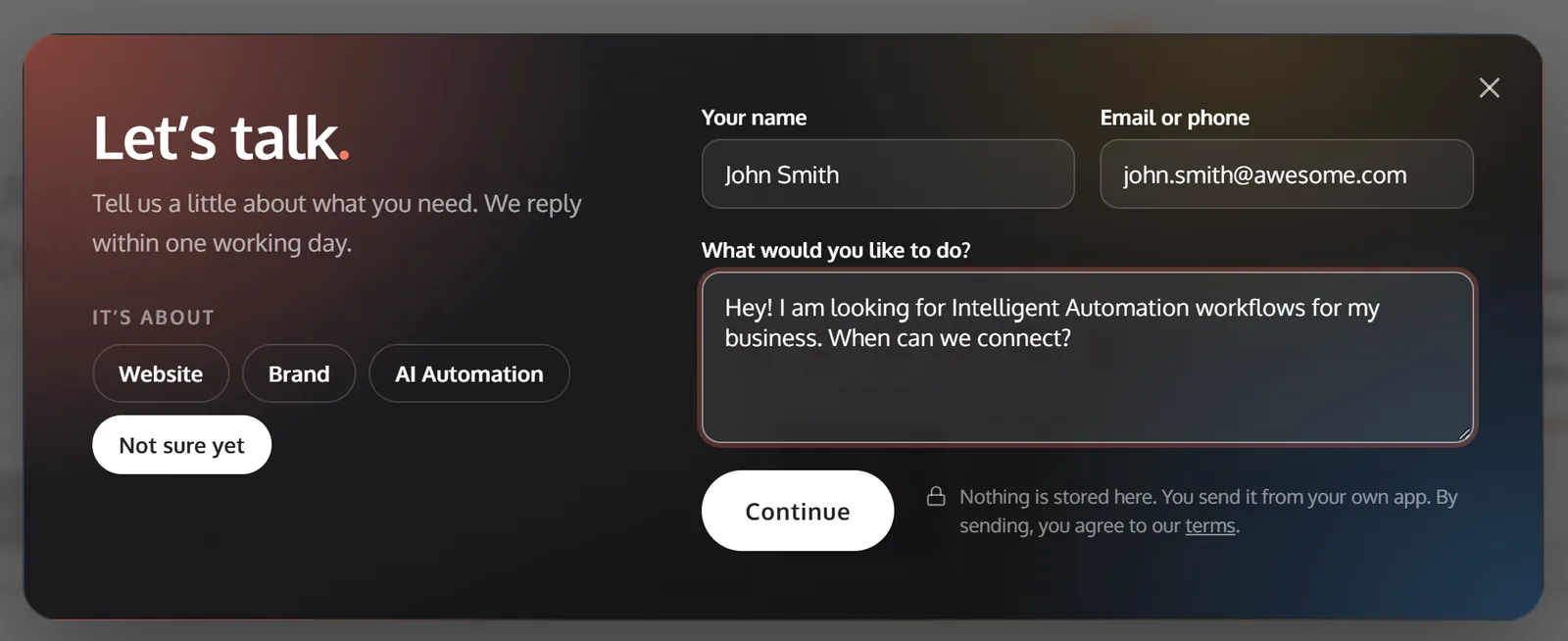
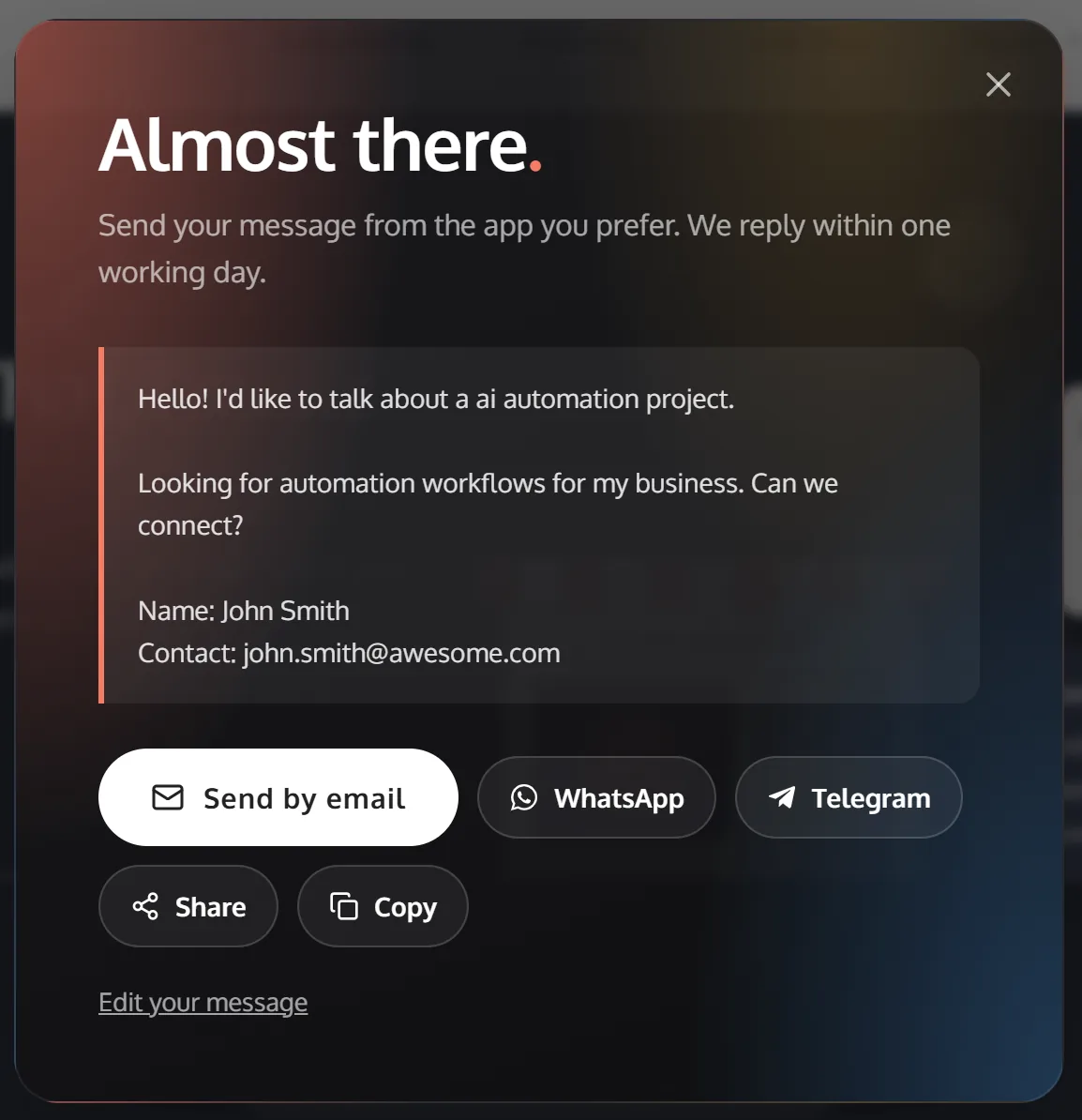
First, the visitor adds their name, a contact detail and a short note. Next, the form turns these into one tidy, self-composed message. Finally, they tap WhatsApp, Telegram, email, Share or Copy. Each option relies on simple, officially documented links, such as WhatsApp click to chat and the Telegram sharing link.
Why a Serverless Contact Form Stops Spam
Most form spam comes from bots that send data straight to a form’s server. According to Imperva’s Bad Bot Report, bots make up roughly half of all internet traffic. Remove the server, and those bots have nowhere to send anything.
Moreover, every message must leave through a real WhatsApp, Telegram or email account. That simple step makes bulk spam slow, costly and easy to trace. Consequently, you can drop puzzles and CAPTCHA tests that frustrate genuine visitors.
The Benefits for Businesses and Visitors
Customers reach you their way
People increasingly prefer messaging. In a Meta and Kantar survey in Hong Kong, nearly half of adults preferred WhatsApp for contacting businesses, against 29% for email. A serverless form meets them in that habit.
Conversations start instantly
After all, an enquiry on WhatsApp is already a chat. You simply reply in the same thread, with no lost emails or slow follow-ups.
Less to secure and maintain
With no form database, there is nothing on your site to hack, back up or pay for. Similarly, there are no form plugins to update.
A faster, lighter page
The whole form needs only a little HTML, CSS and JavaScript. Therefore, it adds almost no weight, which keeps your contact page quick on any phone.
A Quick PageSpeed Tip
PageSpeed tip: Traditional anti-spam widgets often load heavy third-party scripts on every visit. A serverless form needs none, so it helps keep your Total Blocking Time and Interaction to Next Paint scores low.
Frequently Asked Questions
Does a serverless contact form store my visitors’ data?
No. The website keeps nothing. The message goes directly from the visitor’s app to yours.
Which channels can it use?
WhatsApp, Telegram and email work well. Most phones also offer a Share option, and a Copy button covers everything else.
Is it suitable for small businesses?
Yes. It costs nothing to run and suits any business that already replies on WhatsApp or email.
Good to Know
A few details help it work smoothly. Email links need a mail app on the device, so a Copy button is a wise fallback. Telegram lets the sender pick the recipient, so show your username clearly. You can count clicks but not sent messages, and personal data rules still apply to messages you receive.
The Takeaway
A serverless contact form is simpler, safer and friendlier than the forms most sites still use. It blocks bots, respects privacy and starts real conversations in seconds. To see where else your site can improve, try our practical UX audit for business websites, or read how Safari Notify Me brings shoppers back. At TheCreatology, we build contact experiences that earn every message.




Comments
Felt something? How about posting a comment below…