
To reduce unused JavaScript, find the code a page downloads but never runs for that visitor, then remove it or load it only when needed. The hard part is finding it. Now, AI agents can trace how files import one another and spot the hidden links that drag heavy code into the first load.
What Does “Reduce Unused JavaScript” Mean?
Google PageSpeed Insights shows this warning when a page loads scripts it does not use during the visit. However, every extra kilobyte still costs time. The browser must download, read and prepare it before the page can respond.
As a result, unused JavaScript can delay your main content and slow the reaction to taps and clicks. Mid-range phones on patchy networks feel this most of all.
Why Unused JavaScript Is So Hard to Find
Code hides behind imports
Modern websites split their code into many small files that import one another. Consequently, a single shared helper file can quietly pull in a large library that most pages never need.
Delaying code does not always work
Teams often delay heavy features so they load only on demand. Yet if any other file imports that feature directly, the browser still loads it straight away. In other words, the delay fails silently, and nobody notices.
Weight builds up over time
Each new feature, experiment or library adds a little more code. Over months, these small additions become a heavy page that no single change seems to explain.
How AI Agents Find the Code Slowing Your Website
The Next.js team has released an AI agent skill for shipping less JavaScript. First, the agent reads a map of how every file connects. Next, it finds large groups of linked code and traces the import chains behind them. Finally, it suggests the fewest changes needed to delay that code, then checks them against how the page is actually used.
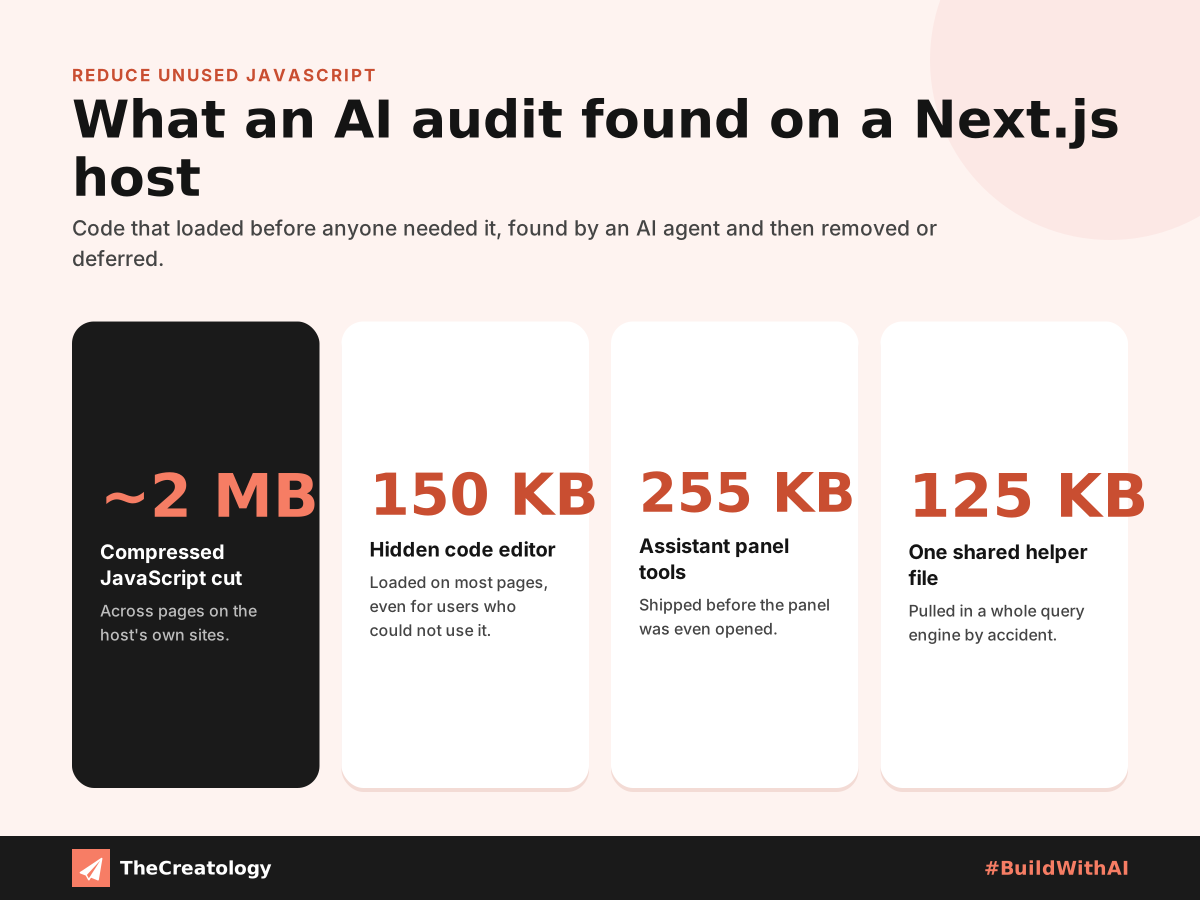
On its own sites, a leading Next.js hosting platform says the agent cut nearly two megabytes of compressed JavaScript. For example, a code editor loaded on most pages, even for users who could not use it. One small helper file even pulled in an entire query engine. The team checked every fix on a preview site ahead of release.
What This Means for Your Website
The lesson goes far beyond one framework. The same habits help any site ship less code:
- Load features on demand. Chat widgets, editors and charts can wait until a visitor opens them.
- Keep shared files focused. A helper file should do one job, not import half the site.
- Remove duplicate libraries. Two versions of the same tool double the weight for no gain.
- Measure before and after. Compare page weight after every change, so savings are real.
- Let AI find, let people decide. An agent can audit quickly, but a developer should test each fix.
A Quick PageSpeed Tip
PageSpeed tip: In Google PageSpeed Insights, open the “Reduce unused JavaScript” item. It lists each script and its likely saving. Start with the largest file on your most visited page, because that change helps the most people.
Frequently Asked Questions
Does unused JavaScript affect SEO?
Indirectly, yes. It slows loading and responsiveness, which feed Core Web Vitals, part of Google’s page experience signals.
Can AI remove unused JavaScript safely?
AI can find problems and suggest fixes quickly. Even so, a person should review and test every change before it goes live.
Does this only apply to Next.js sites?
No. Any website that uses JavaScript can carry code it never runs, whatever platform powers it.
The Takeaway
Unused JavaScript is rarely one big mistake. Instead, many small, hidden links quietly add up. AI agents now make those links visible quickly, while people stay in charge of each decision. That is how we #BuildWithAI at TheCreatology. For a wider review of your site, start with our practical UX audit for business websites.




Comments
Felt something? How about posting a comment below…