
Safari Notify Me lets shoppers ask their iPhone or Mac to watch a web page and alert them when something changes, such as a price drop or a restock. To make your product pages work well with it, keep one stable address per product, show price and stock as clear text, and never delete a sold-out page. These small habits turn a passing visitor into a returning buyer.
What Is Safari Notify Me?
Notify Me is an Apple Intelligence feature in Safari on iPhone and Mac. A visitor opens a page, picks Notify Me from the page menu and describes the change they want in plain words. Safari then checks the page for them and sends an alert when it spots that change.
Checks run daily by default, and shoppers can choose checks as often as once an hour. The feature also suits the new iPhone Duo, whose split screen makes comparison shopping across two pages easy. Apple’s design guidance for iPhone Duo stresses layouts that resize well, and the same idea applies to web pages.
Why Notify Me Matters for Online Shops
Until now, a shopper who found an item out of stock usually left and eventually forgot about it. Now, they can leave a watch running instead. As a result, every product page can quietly bring visitors back at the exact moment they are ready to buy.
However, Safari can only spot what it can read. If your price hides inside an image, or your stock status is unclear, the alert may never arrive. In short, how you build the page now affects whether shoppers return.
How to Make Product Pages Ready for Safari Notify Me
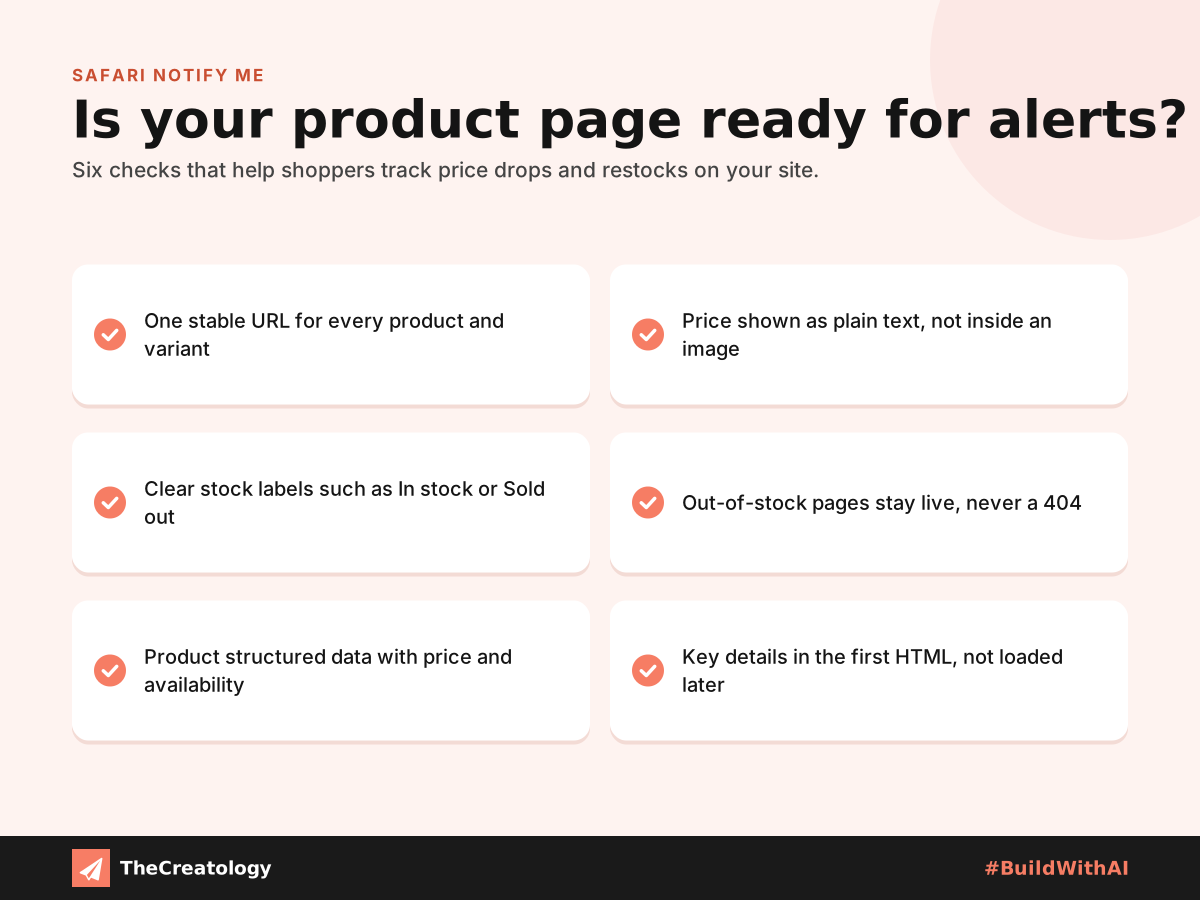
Keep one stable URL per product
Notify Me watches the exact address the shopper is on. So give each product, and ideally each size or colour, its own permanent URL. If a variant only changes through a script, a shopper may end up watching the wrong item.
Show price and stock as plain text
Write the price and stock status as real text on the page. Clear labels such as “In stock” and “Sold out” are easy for any reader, human or machine, to understand. In contrast, text baked into images or banners is easy to miss.
Keep sold-out pages live
Never delete or redirect a product page just because it sold out. A missing page breaks every watch on it. Instead, keep the page live, mark it as sold out and, if possible, say when stock may return.
Add product structured data
Structured data describes the product, its price and its availability in a format machines read easily. Apple has not said exactly how Notify Me reads a page. Even so, this markup helps search engines and AI tools understand your offer, so it is worth adding anyway.
Keep the product area calm
Rotating banners, random suggestions and live timestamps add change that has nothing to do with the product. Therefore, a calm, predictable product area makes real changes easier to distinguish from irrelevant noise.
A Quick PageSpeed Tip
PageSpeed tip: Place the product name, price and stock status in the first HTML the browser receives. This helps your Largest Contentful Paint score and shows the key details straight away, before any scripts finish loading.
Frequently Asked Questions
Is Notify Me only on the iPhone Duo?
No. It is part of Safari on iPhone and Mac. However, the iPhone Duo’s split screen makes it especially easy to browse and compare pages side by side.
Do website owners need to switch it on?
No. Shoppers set it up themselves in Safari. Instead, your job is simply to make each page clear and reliable to watch.
How often does Safari check a page?
Daily by default, and as frequently as once an hour if the shopper prefers.
The Takeaway
Safari Notify Me turns every product page into a quiet sales reminder. Stable addresses, clear text and live sold-out pages help shoppers come back when the moment is right. For a wider check of your site, start with our practical UX audit for business websites. At TheCreatology, we build product pages with that return visit in mind.




Comments
Felt something? How about posting a comment below…