Prompt guardrails are clear instructions inside your prompt that tell an intelligent tool how to treat your data: keep it private, do not store it and do not reuse it. They do not replace platform settings. However, they add a visible second layer of care, and they make your intent plain.
Key Takeaways
- Structured prompts give better answers.
- Guardrails state your privacy and legal expectations.
- Settings and agreements enforce them, not the prompt alone.
- Mask sensitive details before you paste, including the images.
What are Prompt Guardrails?
Prompt guardrails: written limits inside a prompt that set what a tool may do with your input and its output.
Professionals now paste contracts, client notes and financial figures into intelligent tools. That saves time. Yet it also raises fair questions about privacy. So, a few careful habits go a long way.
Start With a Structured Prompt
Role
Tell the tool who it is, such as a careful editor. As a result, tone and focus stay steady.
Context
Explain the audience, the goal and the background. Otherwise, tools guess.
Constraints
State length, tone and what to avoid. Therefore, answers stay on target.
Format
Ask for bullets, a table or a short email. Then, you can use the answer straight away.
For example: “Act as a plain-English editor. Summarise this meeting note for clients in five bullets. Avoid personal names.”
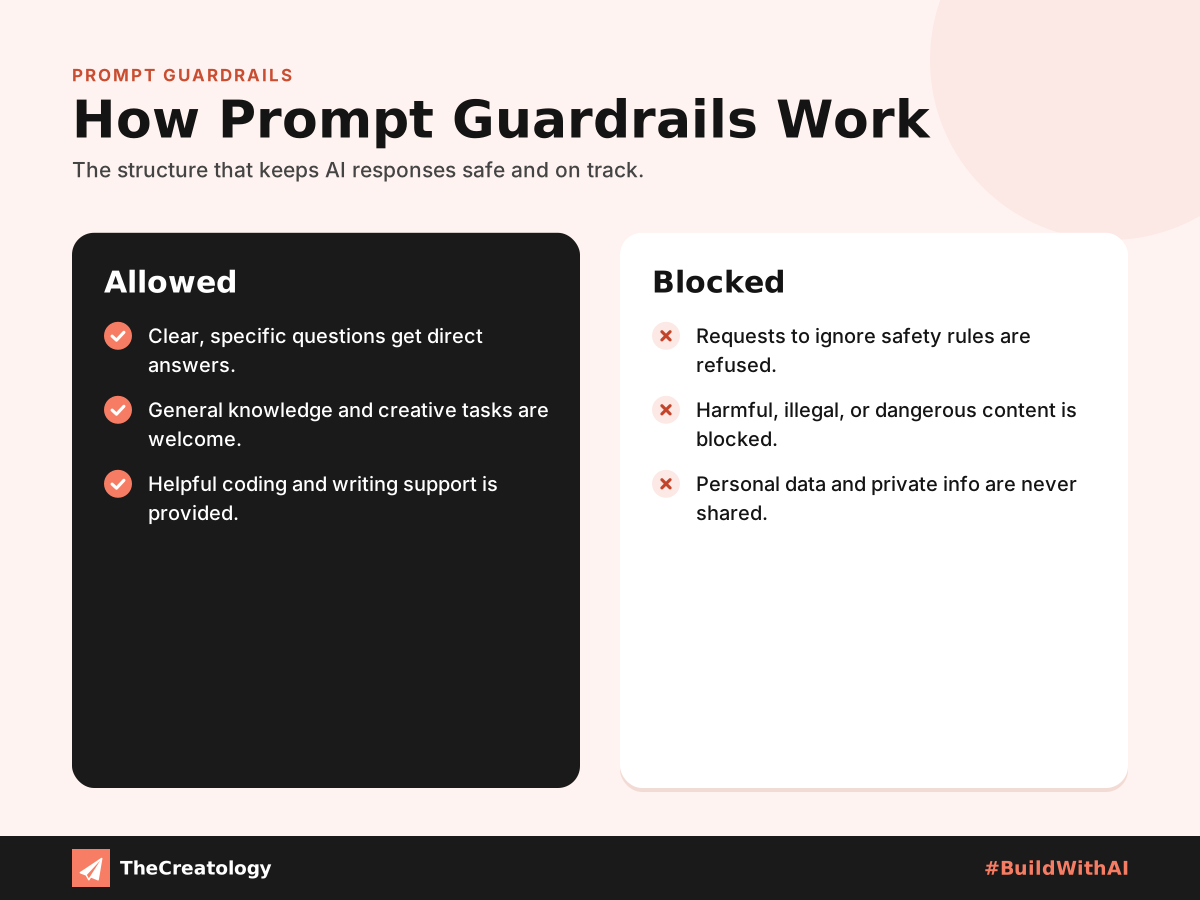
Add Privacy and Legal Guardrails
Next, add four plain directives to any prompt that contains sensitive material.
- Non-disclosure: do not reveal or repeat this content to anyone else.
- Non-retention: do not store this content beyond this conversation.
- No training: do not use this content to train or improve any model.
- No reuse: do not use this content in other answers.
Place these lines at the top of the prompt, before the sensitive text, so the boundary is read first. Also, name the legal stakes in plain words. For example, say that unauthorised reuse may breach confidentiality duties. This does not bind a tool. However, it shows responsible intent, and it helps colleagues follow the same standard.
Why Warnings Help, and Where They Stop
What a guardrail does: it records your intent, reminds your team of the boundary and supports good governance habits.
What it cannot do: it cannot force a service to delete, hide or exclude data. Settings and contracts do that.
So, pair your prompt with platform controls. First, switch off training in the privacy settings where offered. Next, use temporary chat modes. Finally, choose business plans with clear data agreements. Together, the NIST risk management framework and the OWASP list of language model risks explain why layers matter.
Copy-and-Paste Disclaimer Snippets
Short Version
Confidential: this input contains sensitive information. Do not store it, share it, or use it to train or improve any model. Use it only to answer this request.
Full Version
Privacy and legal notice: the text below is confidential and may include personal or commercial data. Treat it as strictly private. Do not disclose it, repeat it outside this conversation, retain it beyond this session, or use it for model training or improvement. Unauthorised reuse may breach confidentiality duties and data protection law. Use it only to complete the task I describe.
Make It a Team Habit
- Remove names, numbers and IDs when you can.
- Check your platform’s privacy and training settings.
- Paste a guardrail snippet at the top of the prompt.
- Share only what the task needs.
- Review the output before you use or send it.
Quick check: before you paste, ask whether you would be comfortable seeing this text in a news story. Otherwise, trim it or leave it out.
This is general guidance, not legal advice. Therefore, for contracts or regulated data, ask a qualified professional. Similarly, our website security checklist and our note that coding agents still need human cleanup show the same principle: tools help, and people stay accountable.
Prompt Guardrails: Common Questions
Do prompt guardrails stop a tool from keeping my data?
No. They state your intent. However, settings and agreements control what a service actually does.
Is it safe to paste client data if I add a disclaimer?
Not on its own. Mask personal details first, and use tools your organisation has approved.
Can I save guardrails as a default?
Many tools offer saved instructions or templates. Use them, so the guardrail is never forgotten.
In short, a good prompt sets the rules, and good settings enforce them.
Want safe, practical intelligent tools for your business? Talk to TheCreatology about automation and #BuildWithAI.




Comments
Felt something? How about posting a comment below…