Stock alerts warn you before a popular item runs out, so you can reorder in time and never sell what you do not have. Intelligent tools make them smarter by learning from your past sales. Therefore, you spend less time counting and more time selling.
Key Takeaways
- Running out mid-sale costs orders and trust.
- A reorder point tells you when to act.
- Intelligent tools forecast demand from past sales.
- A person should approve every order.
Why Stock Alerts Matter
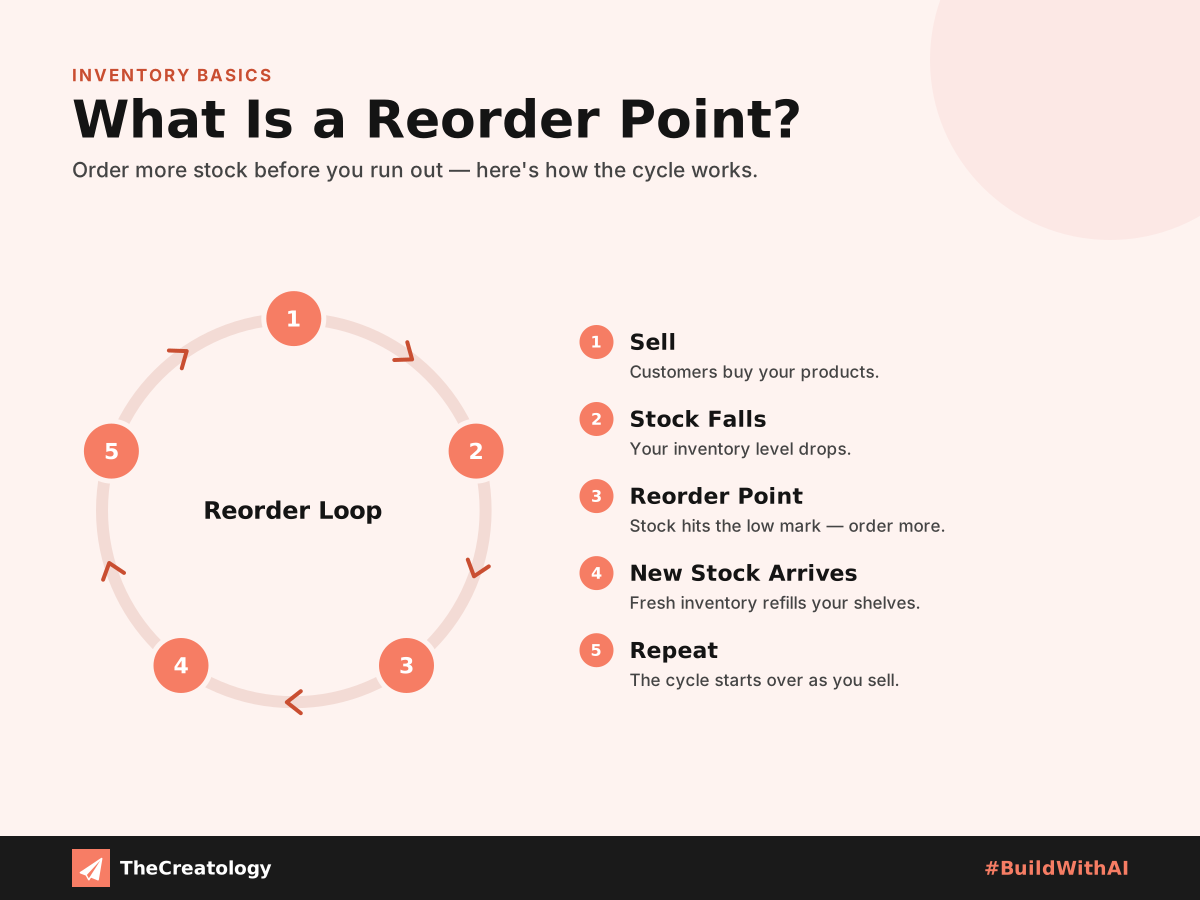
Running out of a bestseller during a sale hurts twice. First, you lose the sale. Then, overselling forces you to cancel orders, which damages customer trust. Meanwhile, ordering too much ties up cash. So, the goal is simple: reorder at the right moment.
Reorder point: the stock level at which you should place a new order, so supplies arrive before you run out.
The formula is easy: daily sales multiplied by restock days, plus a safety cushion. For example, ten sales a day, five days to restock and twenty spare items give an alert at seventy. You can read more about the reorder point idea.
What Intelligent Tools Add
Demand Forecasts
They read past sales and seasons. As a result, they predict busy periods early.
Early Warnings
Alerts reach your team by email or WhatsApp before the shelf is empty.
Order Suggestions
They suggest how much to buy. However, you decide whether to order.
How to Set Up Stock Alerts
- Count your stock, and correct the records.
- Work out the reorder point for your top items.
- Switch on low-stock alerts in your shop tool.
- Send alerts to email or WhatsApp, where your team will see them.
- Review the results after each sale, and adjust.
Quick check: pick your best-selling item. If it sold twice as fast tomorrow, how many days would your stock last?
Keep a Human in Charge
Intelligent tools can misread a one-off spike, or stumble over messy data. So, treat their advice as a strong suggestion, not a command. Also, keep every record in one place, as our guide to ERP for small businesses explains. Alerts that reach phones work well too, as shown in WhatsApp Business automation. Before a big sale, follow the Black Friday website checklist to confirm that your numbers match reality.
Common Stock Mistakes to Avoid
Many shops make the same few errors. First, they set one alert level for every item, although fast sellers need more cushion than slow ones. Second, they forget supplier delays, so the alert arrives too late. Third, they ignore festive demand, which can lift sales sharply.
Therefore, review your alert levels before every busy season. Also, record how long each supplier really takes, not how long they promise. Count a few items by hand each month. That quick check keeps your records honest, and honest records make every alert useful.
Stock Alerts: Common Questions
Do stock alerts work for small shops?
Yes. Even a simple low-stock email helps, and you can add forecasting later.
Will intelligent tools order stock for me?
They can suggest quantities. However, you should approve every order yourself.
What if my stock records are wrong?
Fix them first. Otherwise, alerts built on wrong numbers give wrong warnings.
In short, warn early, reorder in time and keep a person in charge.
Want smarter stock control for your business? Talk to TheCreatology about intelligent tools and automation, and #BuildWithAI.



Comments
Felt something? How about posting a comment below…