
Vibe coding builds a working website fast, but it often leaves hidden performance debt behind. AI tools tend to add extra scripts, heavy styles and oversized images. As a result, pages look finished yet load slowly. Fortunately, a short review after each build clears most of that debt.
Key Takeaways
- Vibe-coded pages often ship more code than they need.
- Unused scripts and styles slow the first load.
- Speed problems rarely show on a fast developer machine.
- A simple review checklist catches most issues early.
What Is Vibe Coding?
Vibe coding means describing a website in plain language and letting an AI write the code. You guide the result by feel, then keep what works. Consequently, a landing page can appear in minutes rather than days. However, speed of building is not the same as speed of loading.
Where the Performance Debt Hides
Performance debt: the hidden cost of code that works today but slows the site tomorrow. In vibe-coded websites, it usually hides in four places.
Extra Scripts
AI tools often reach for a library to solve a small task. For example, a whole animation library might power one fading button. Each script adds download time and delays the first interaction.
Bloated Styles
Generated code often repeats similar rules across many components. Over time, the stylesheet grows, while most rules stay unused on any single page.
Heavy Images
Placeholder images frequently arrive at full size, with no width or height set. As a result, the layout jumps as each image loads.
Too Many Wrappers
Generated markup tends to nest elements several levels deep. Therefore, the browser works harder to build and paint each page.
Why the Debt Stays Hidden
Most developers test on fast laptops with strong connections. Meanwhile, real visitors often browse on mid-range phones over mobile data. So, a page that feels instant at your desk can feel sluggish in a customer’s hand. Moreover, AI tools rarely flag page weight unless you ask.
At your desk: a fast laptop, strong Wi-Fi and a warm browser cache. Pages feel instant.
In a customer’s hand: a mid-range phone, patchy mobile data and an empty cache. Every extra file counts.
How to Clear Vibe Coding Debt
Above all, treat AI output as a first draft, not a finished build. Then, review it with a few simple habits.
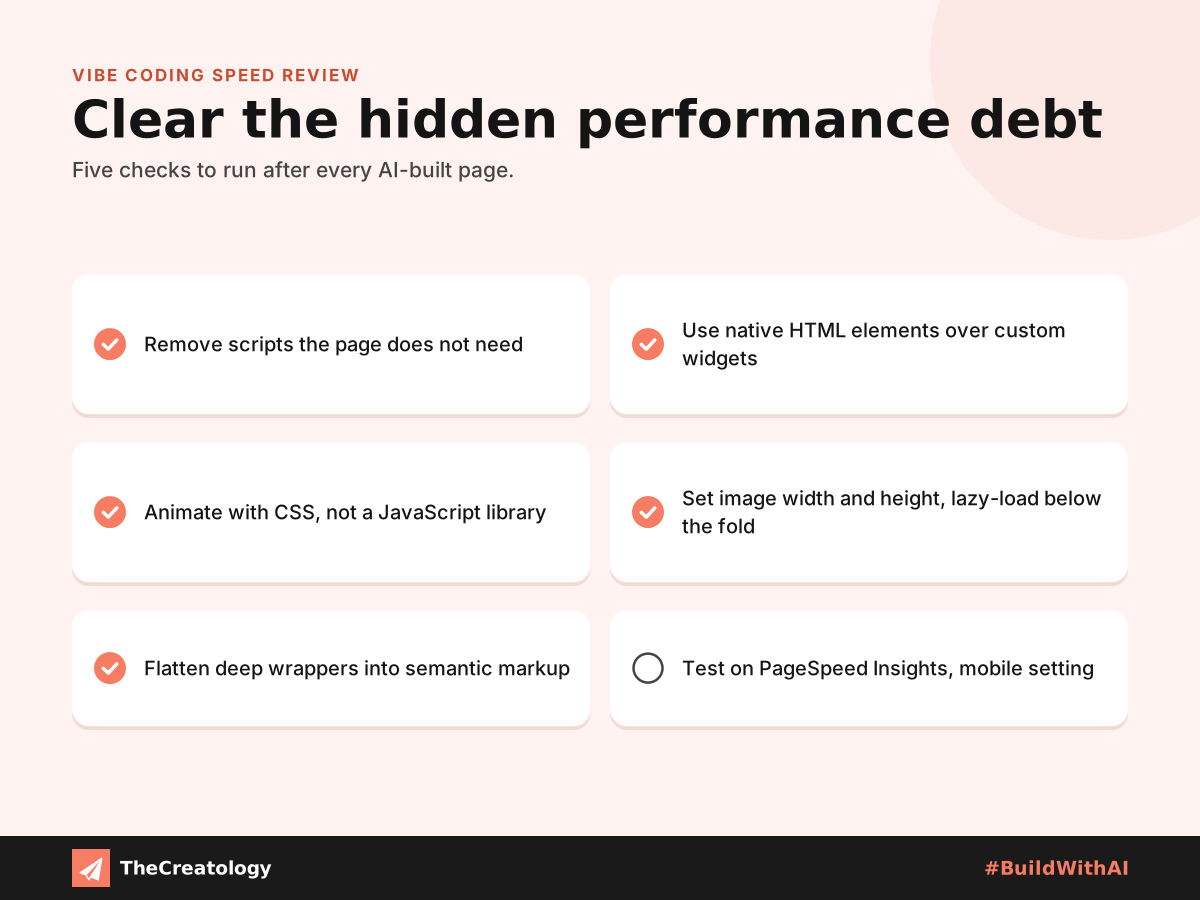
- Remove any script the page does not truly need.
- Prefer native HTML elements, such as
detailsanddialog, over custom widgets. - Use CSS transitions for simple motion instead of a JavaScript library.
- Set width and height on every image, and lazy-load those below the fold.
- Flatten deep wrappers into clean, semantic markup.
Prompt tip: Ask the AI directly for the lightest possible version. In practice, a clear prompt often trims the code dramatically.
Prompt for Speed From the Start
Prevention costs less than repair. Before you build, tell the AI your limits up front. Ask for semantic HTML, minimal JavaScript and sized images. Request one lean stylesheet with no unused rules. Next, ask it to explain every script it adds. You will quickly see which ones earn their place.
A Quick PageSpeed Check
PageSpeed tip: Run Google PageSpeed Insights on the mobile setting after every build. In particular, watch Largest Contentful Paint and Cumulative Layout Shift. If either turns orange or red, check the list above first. For instance, a NOIDA retailer’s product page might pass simply by sizing its hero image correctly.
Vibe Coding: Common Questions
Is vibe coding bad for SEO?
Not by itself. However, slow pages can hurt rankings, so a speed review matters.
Can AI fix its own performance issues?
Often, yes. Paste the PageSpeed report back in and ask for specific fixes.
Should businesses avoid vibe-coded websites?
No. Instead, pair fast AI building with careful human review.
How do I know if my site has performance debt?
Run a mobile PageSpeed test and check Total Blocking Time. A high figure there usually points to excess JavaScript.
In short, build fast with AI, then review with a human eye.
Want a vibe-coded site that stays fast? Talk to TheCreatology and #BuildWithAI.




Comments
Felt something? How about posting a comment below…