
The iPhone Duo matters for web design because both of its screens share the same aspect ratio. The 5.4-inch outer display and the 7.6-inch inner display have the same shape, just at different sizes. So a website that scales in proportion looks right on both, while one built for fixed sizes may stretch, crop or break.
What Makes the iPhone Duo Different?
Samsung and others have sold folding phones for years. However, many use an outer screen with a different shape from the inner one. Apple took another route. Both Duo displays share one aspect ratio, so content scales in proportion as the phone opens and closes.
Some reviewers compare it to paper sizes: moving between the two screens is like moving between A4 and A5. The proportions remain identical, and only the overall size changes.
What Is Proportional Web Design?
Proportional web design means layouts, type and images that scale with the space available, rather than snapping between fixed sizes. It is responsive design with one extra goal: keep the same visual balance at every size.
On the Duo, this matters more than ever. A visitor may begin reading on the outer screen, unfold the phone mid-scroll and naturally expect the page to grow.
Why Matching Screens Change the Rules
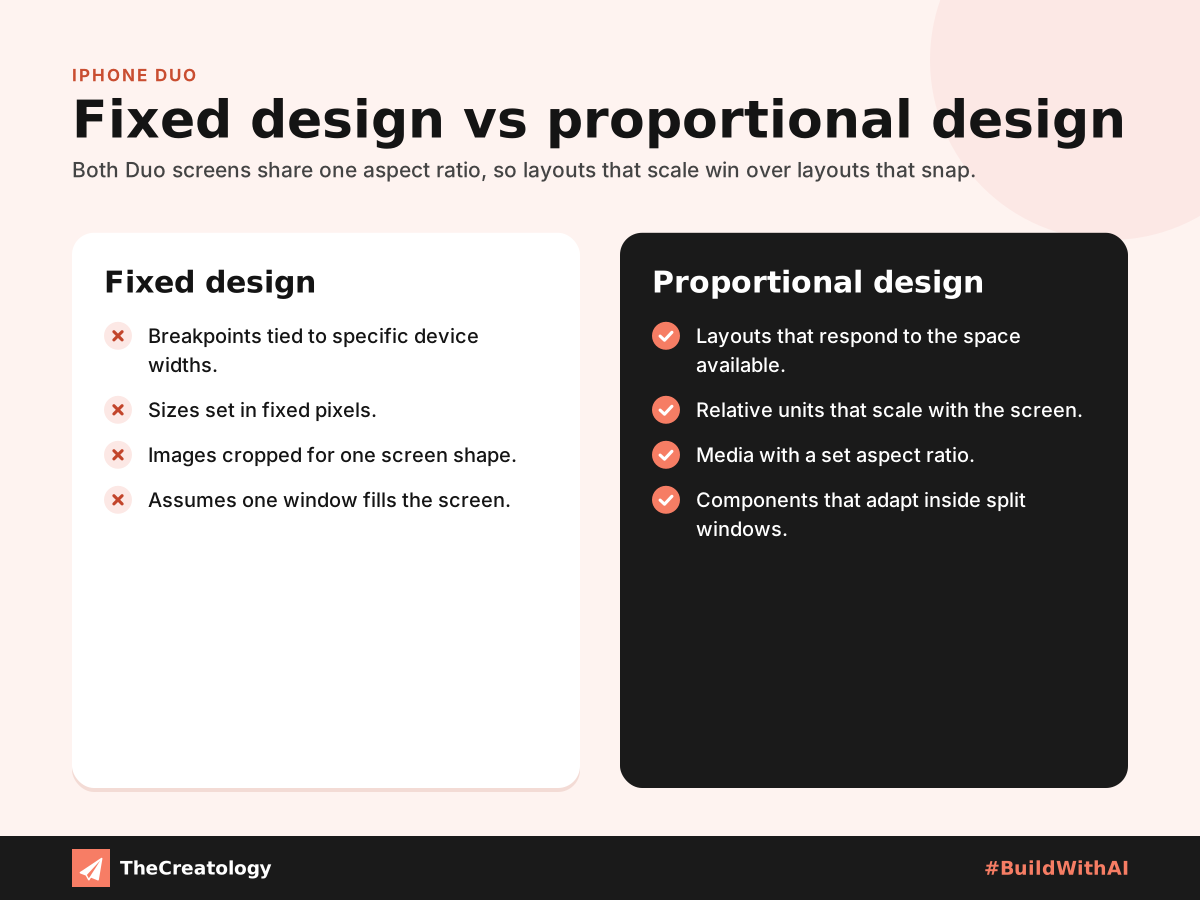
Device breakpoints age quickly
Many sites still switch layouts at widths borrowed from popular phones and tablets. In contrast, the Duo presents an identical shape at two different sizes. Layouts that respond to the available space handle this smoothly.
Split windows shrink your page
The Duo can show two Safari windows side by side. Consequently, your site may appear in half the inner screen, right next to a competitor’s page. Components that adapt to their own container, not just the screen, keep working in that narrow space. Safari also lets shoppers set Notify Me alerts for price drops and restocks, so product pages matter even more.
Media needs a fixed shape
Images and video with a set aspect ratio scale cleanly from one screen to the other. Also, the browser can reserve their space early, which stops the page jumping as it loads.
How to Design for Proportional Screens
- Use relative units. Size type and spacing so they scale with the screen, rather than in fixed pixels.
- Let content set the breakpoints. Change the layout when the content needs it, not when a device list says so.
- Design components to adapt. CSS container queries let a card or panel respond to the space it actually has.
- Keep controls within easy reach. Apple advises app makers to place controls along the side of the Duo. The same thinking suits sticky web navigation.
- Test every state. Check the page folded, unfolded and in split view.
A Quick PageSpeed Tip
PageSpeed tip: Serve responsive images in several sizes, so the outer screen never downloads the larger file meant for the inner one. Lighter images load faster, which helps your Largest Contentful Paint score on every screen.
Frequently Asked Questions
Does my website need a separate iPhone Duo version?
No. A well-built responsive site works on the Duo. Proportional scaling simply makes it feel more natural when the phone opens.
What size are the iPhone Duo screens?
The outer display measures 5.4 inches and the inner display 7.6 inches. Both share the same aspect ratio.
Will split view affect my site?
It can. In split view, your page may get only part of the screen, so check that menus, forms and buttons still fit.
The Takeaway
The iPhone Duo rewards websites that scale instead of snap. Because both screens share one shape, proportional layouts feel seamless as the phone opens and closes. Not sure where your site stands? Start with our practical UX audit for business websites. At TheCreatology, we design for the space a page actually has, so it looks right on any screen, folded or not.

Comments
Felt something? How about posting a comment below…