
Should you block AI crawlers? For most businesses, no. Allow AI search bots, because they bring visitors and citations. Then, decide separately about training bots, which learn from your content but rarely send traffic.
Key Takeaways
- AI crawlers come in two kinds: search bots and training bots.
- Blocking search bots removes you from AI answers.
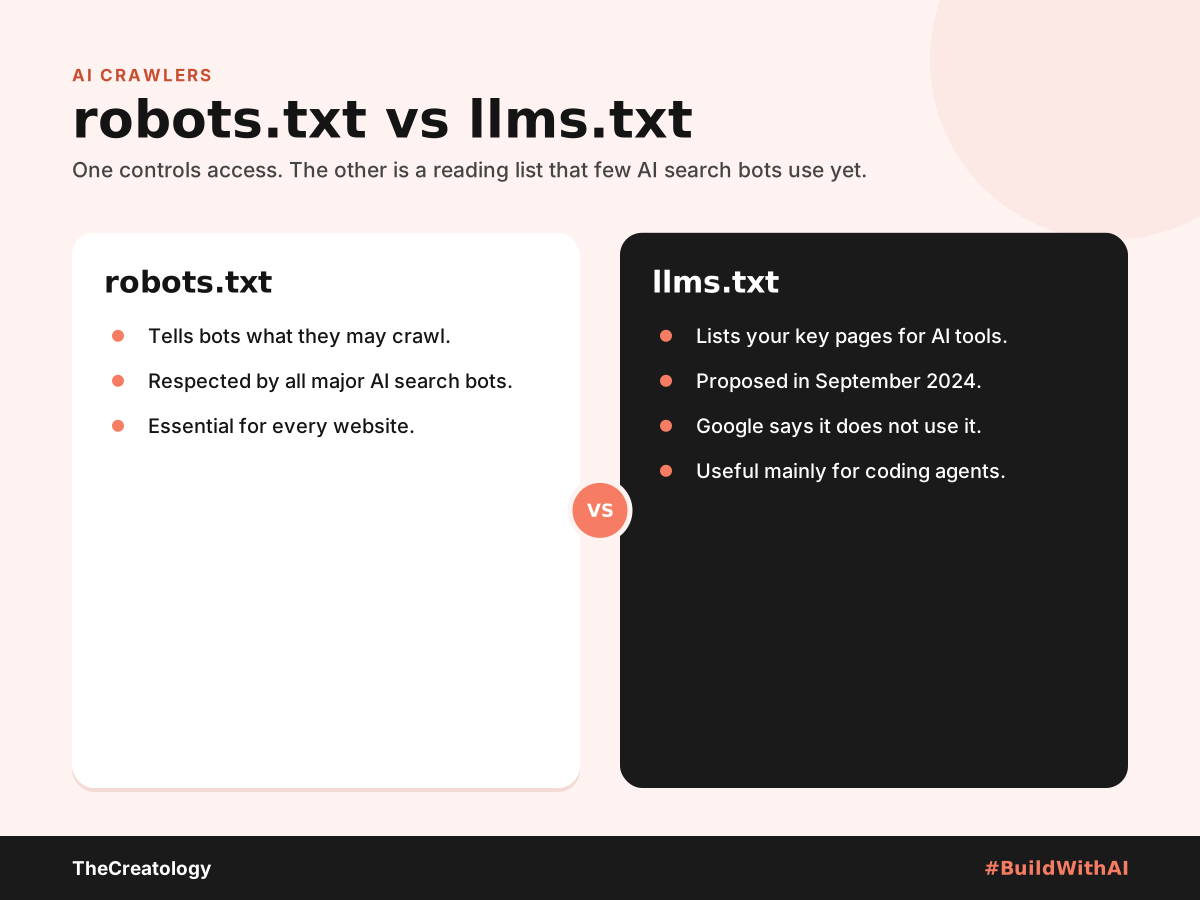
- robots.txt controls access; llms.txt is only a reading list.
- Blocking AI bots does not change your Google rankings.
What Are AI Crawlers?
AI crawlers are bots that read websites for AI tools. Some fetch pages to answer questions in real time. Others, however, collect content to train future models. Consequently, they deserve different rules.
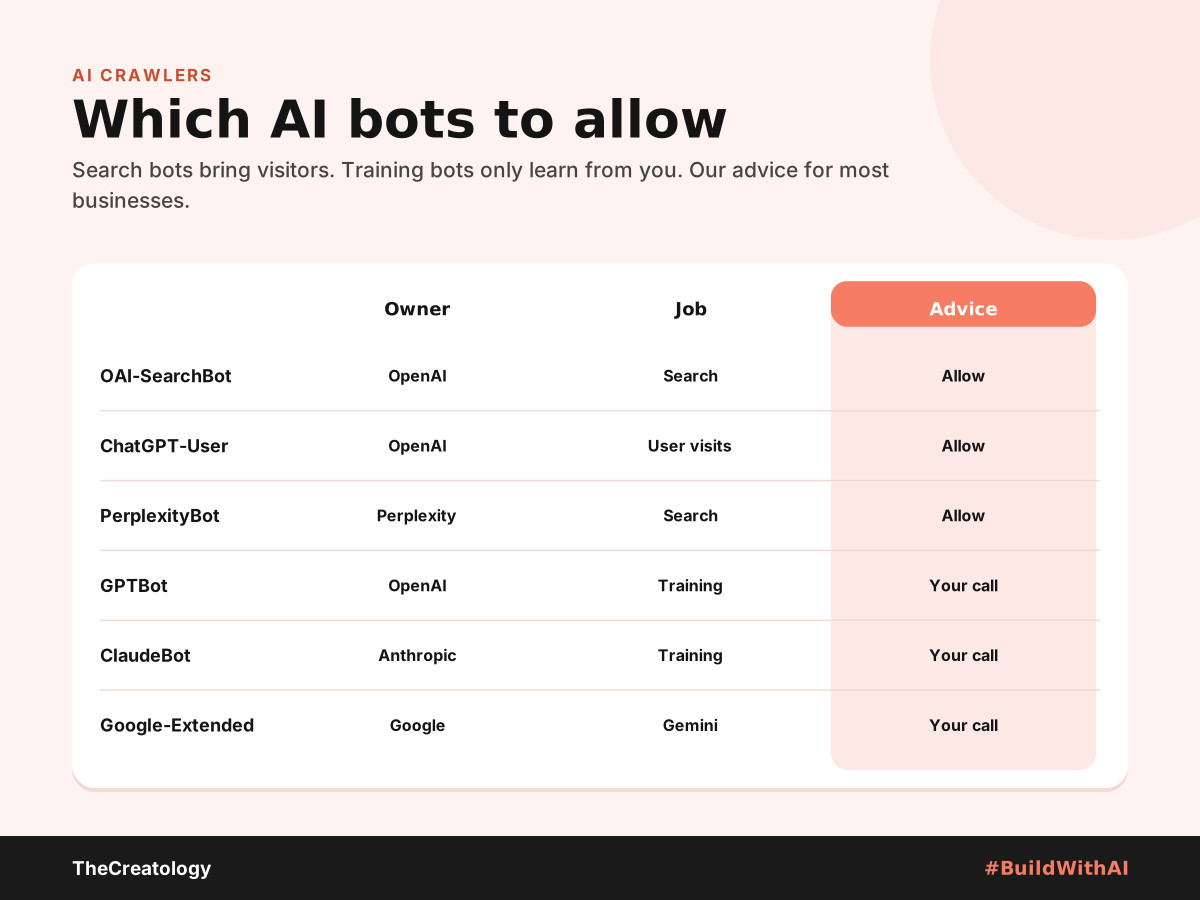
How to Block or Allow AI Crawlers in robots.txt
Your robots.txt file sits at yoursite.com/robots.txt. For example, this setup blocks OpenAI’s training bot but keeps ChatGPT search open:
User-agent: GPTBot
Disallow: /

User-agent: OAI-SearchBot
Allow: /
Also, check your host and firewall. Some services, such as Cloudflare, can block AI bots by default. Similarly, Shopify has added default scraping limits, so confirm search bots still get through.
What Is llms.txt?
Definition: llms.txt is a Markdown file at your site’s root that lists your key pages for AI tools.
Jeremy Howard of Answer.AI proposed it in September 2024. However, adoption by AI search is weak. In July 2025, Google confirmed it does not use llms.txt. Meanwhile, coding agents do read it on documentation sites, according to this 2026 llms.txt guide.
How to Check What Your Site Allows Today
Many owners have never looked at their robots.txt file. Fortunately, checking takes five minutes.
- Open the file: first, visit yoursite.com/robots.txt in any browser.
- Read the rules: next, look for lines naming GPTBot, OAI-SearchBot or other AI bots.
- Check your CDN: then, review bot settings in Cloudflare or your host’s panel.
- Ask for logs: finally, ask your developer whether AI bots appear in server logs.
On WordPress, an SEO plugin usually lets you edit robots.txt without touching files. However, test any change carefully, because one wrong line can block Google too.
Our Recommended Setup
- Allow search bots: OAI-SearchBot, ChatGPT-User and PerplexityBot.
- Decide on training bots: block GPTBot and ClaudeBot if your content is your product.
- Keep your sitemap current: it helps every bot find new pages.
- Treat llms.txt as optional: add it only if developers use your docs.
Above all, open access only helps if your pages are clear. Our guides to SEO vs AEO vs GEO and getting products recommended by ChatGPT cover the next steps.
Block AI Crawlers: Common Questions
Will blocking GPTBot hurt my Google rankings?
No. Google Search uses Googlebot, which is a separate crawler.
Does Google-Extended affect Google Search?
No. Instead, it only controls whether Google may use your content for Gemini. Your search ranking stays the same.
Do all AI bots obey robots.txt?
The major ones say they do. Even so, some smaller bots ignore it, so firewall rules add a second layer.
In short, open the door to bots that bring customers, and decide calmly about the rest.
Unsure what your site allows today? Talk to TheCreatology and #BuildWithAI.



Comments
Felt something? How about posting a comment below…