UPI checkout lets shoppers pay on your website in a few taps, using the payment apps they already trust. For many Indian customers, it feels faster than typing card details. Therefore, adding it can help you complete more orders.
Key Takeaways
- UPI suits phones and quick payments.
- A reputable gateway does the heavy lifting.
- Test in sandbox mode, then place a small real order.
- Clear messages keep pending payments calm.
Why UPI Checkout Matters
UPI: the Unified Payments Interface, an instant payment system in India that lets people pay from a bank account using a mobile app.
Many shoppers already pay with UPI every day. Meanwhile, typing a long card number on a small screen is slow and error-prone. As a result, a clear UPI option removes friction at the exact moment a customer decides to buy. You can read more about the Unified Payments Interface to see how it works.
Ways Customers Pay With UPI
App Opens
On a phone, the payment app opens directly. Then, the shopper approves with a PIN.
QR Code
On a computer, the shopper scans a code with their phone. Consequently, no typing is needed.
UPI ID
The shopper types an ID, and then approves the request in their app.
Available options depend on your payment gateway. So, check which ones it supports before you decide.
How to Add UPI Checkout to WordPress
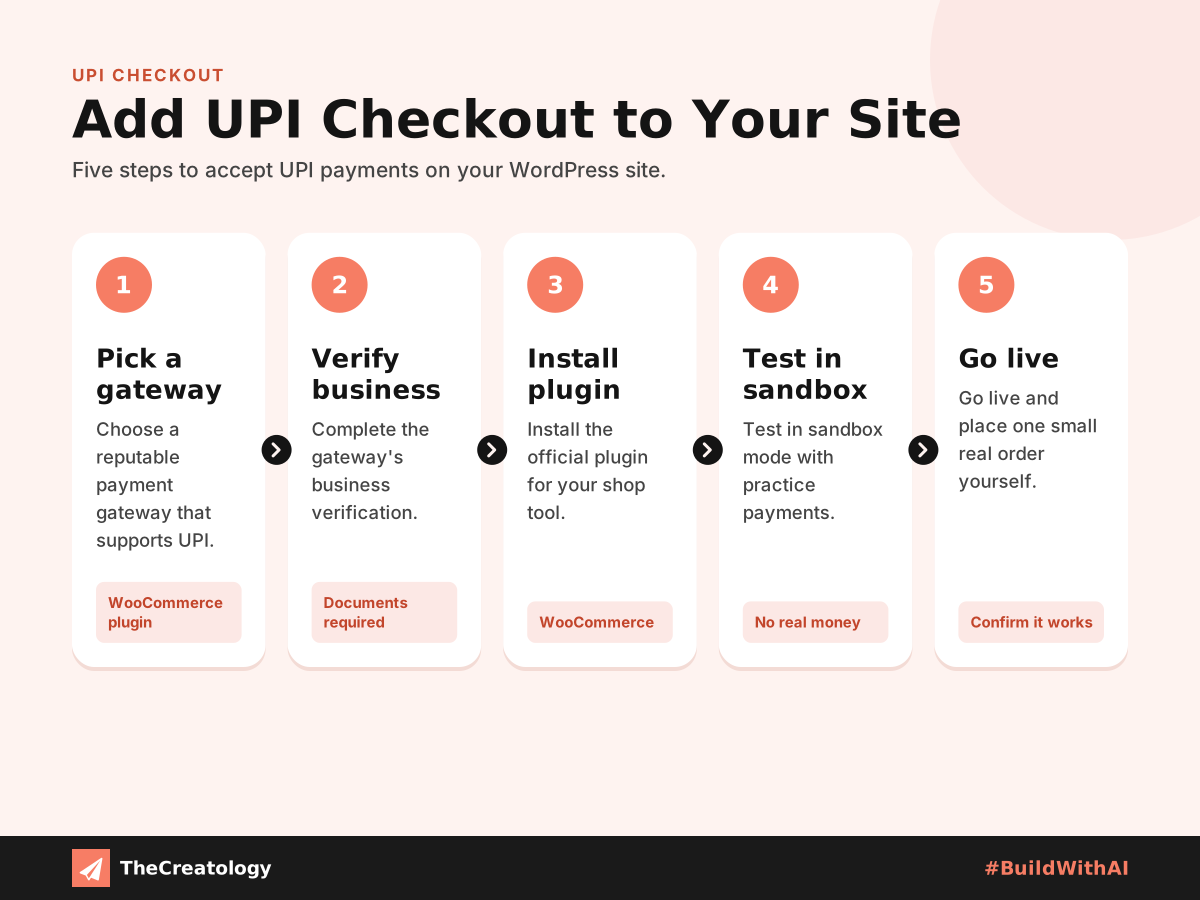
- Choose a reputable payment gateway that supports UPI.
- Complete the gateway’s business verification.
- Install the official plugin for your shop tool, such as WooCommerce.
- Test in sandbox mode with practice payments.
- Go live, and place one small real order yourself.
Quick check: pay from your own phone using a UPI app. Does the return to your site feel smooth? Then, confirm that the order email arrives.
Make Payments Feel Effortless
First, show UPI near the top of the payment list on mobile. Next, keep checkout short, and allow guest orders. Also, explain pending payments clearly, so customers do not pay twice. Finally, keep the page quick, because website speed on mobile networks affects every step. Our Black Friday website checklist also shows how to test checkout before a sale.
For safety, use HTTPS, and never store payment details yourself. The gateway handles sensitive data. However, you must still keep plugins updated, since old code can open doors for attackers.
Build Trust at Checkout
Shoppers pay only where they feel safe. So, show your business name, address and contact details clearly on the checkout page. Also, display a simple refund and delivery policy, because doubts at this stage lead to abandoned carts.
In addition, keep the payment screen free of distractions. For example, remove pop-ups and extra offers while the customer pays. Finally, send a clear confirmation message straight away. That reassurance tells the shopper the payment worked, and it cuts down on worried calls.
UPI Checkout: Common Questions
Does UPI checkout cost extra?
Fees depend on your gateway and plan. Therefore, compare them before you choose.
Do I need a developer?
Plugins cover the basics. However, a developer helps with refunds, custom flows and order tracking.
What if a UPI payment stays pending?
Show a clear message. Then, confirm the status automatically before you mark the order as paid.
In short, fewer taps mean more completed orders.
Want smooth payments on your online store? Talk to TheCreatology about web design and development, and #BuildWithAI.


Comments
Felt something? How about posting a comment below…