Updating WordPress won’t protect you from PHP flaws, because PHP runs underneath WordPress on your server. A WordPress update only patches WordPress code. To close a PHP flaw, the server’s PHP version itself must be updated, usually by your host or a maintenance team.
Key Takeaways
- WordPress and PHP update separately.
- A fully updated WordPress site can still run a vulnerable PHP version.
- Maintenance covers the whole stack, not just the dashboard.
- AI can explain a fix, but a human developer should apply it.
How WordPress and PHP Fit Together
PHP: the programming language your server uses to run WordPress. WordPress is the application, while PHP is the engine beneath it.
Think of WordPress as a car and PHP as its engine. Cleaning the car does nothing for a faulty engine. Similarly, the Update button in your dashboard never touches PHP. Even WordPress auto updates only cover WordPress itself.
WordPress updates fix: core files, plugins and themes. You run them from the dashboard.
Server updates fix: PHP, the web server and the operating system. Your host or developer runs them.
What the PHP2Shell Flaws Showed
The recent PHP2Shell case made the gap obvious. These two critical PHP flaws let attackers run their own code on a server without logging in. Soon after, security agencies confirmed attackers were exploiting them. Yet no WordPress update could help. Only patched PHP versions, such as 8.4.27 or 8.3.36, closed the hole.
Why Many Sites Stay Exposed
Most owners assume their host handles PHP. Sometimes it does, but often slowly. Meanwhile, many sites still run old PHP branches that no longer receive security fixes. Worse, nobody owns the server layer. The owner trusts the host, and the host waits for the owner to switch versions.
Why WordPress Maintenance Services Matter
A good maintenance service closes that gap before PHP flaws reach your site. It treats your site as one stack, from PHP up to the last plugin.
Watch the Whole Stack
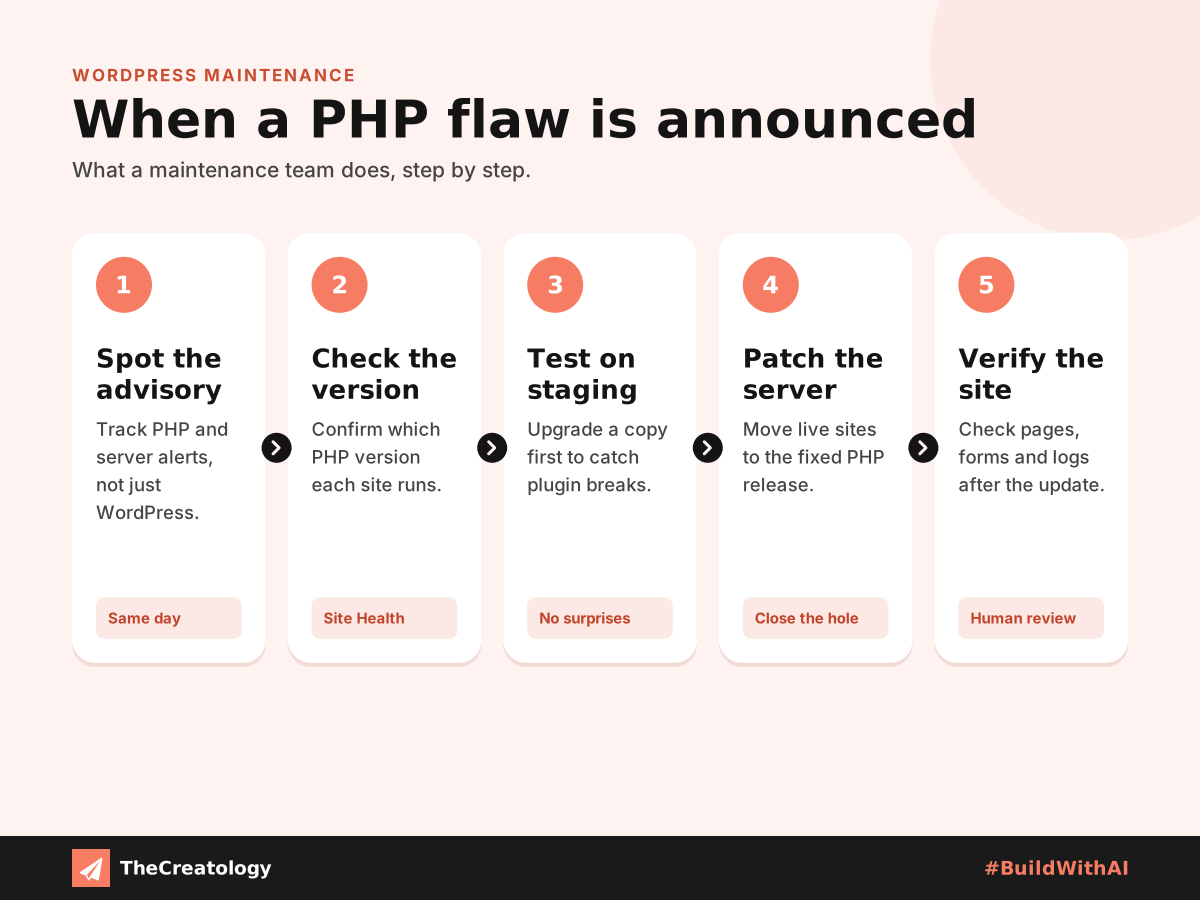
Maintenance teams track PHP, server and plugin advisories daily, not just WordPress releases.
Test Before Updating
A PHP upgrade can break older plugins. Therefore, they test each change on a staging copy first.
Act Within Hours
Attackers move fast after disclosure. So, a clear owner patches the same day, not next month.
Can AI Fix a PHP Flaw for You?
AI is useful here. It can explain an advisory in plain words and draft the update steps. However, every AI fix comes with a catch. It cannot see your server, so it guesses your setup. It may suggest an outdated version, or offer a workaround instead of a real patch. Moreover, it sounds confident even when it is wrong.
A human developer checks the actual server, tests the change and takes responsibility for the result. In short, let AI speed up the research, and let a person make the call. That is how we #BuildWithAI.
Quick check: In your dashboard, open Tools, then Site Health, then Info, then Server. Your PHP version is listed there. If it is not the latest patch of a supported branch, ask your host or developer today.
PHP and WordPress: Common Questions
Does WordPress update PHP automatically?
No. WordPress can warn you about an old PHP version, but only your host or developer can change it.
Is my hosting company responsible for PHP?
It depends on your plan. Managed hosts usually patch PHP, while basic shared plans may leave version changes to you.
Can a security plugin protect me from PHP flaws?
Partly. A firewall may block some attacks, but it cannot patch PHP itself.
How often should PHP be checked?
Monthly at a minimum, and immediately when a critical advisory appears.
In short, an updated dashboard is not a secure server. Maintain the whole stack.
Want someone watching your WordPress and PHP around the clock? Talk to TheCreatology about website maintenance and #BuildWithAI.
Comments
Felt something? How about posting a comment below…