To connect AI tools to your own knowledge, use MCP, the Model Context Protocol. Essentially, it is a shared standard that lets intelligent tools safely read and update your knowledge base, website and project systems.
In short: a knowledge base is only half the job. Connecting it lets your tools actually use it.
Key Takeaways
- MCP links AI tools to your own systems through one standard.
- Tools then answer using your team’s knowledge, not just public data.
- We use MCP to run parts of this very blog.
- Safety rules keep people in charge of every change.
What Is MCP?
Definition: MCP, or Model Context Protocol, is an open standard that connects AI tools to the data and software your business already uses.
Without MCP, each tool needs its own custom link to each system. That quickly becomes costly. With MCP, however, one standard connection works across many tools. For a deeper look, read our guide to MCP as the new TCP/IP of business AI.
How MCP Connects AI Tools to Your Work
Picture three layers. At the top sits the AI tool. In the middle, MCP passes data safely both ways. At the base sit your systems, such as docs, code and your website.
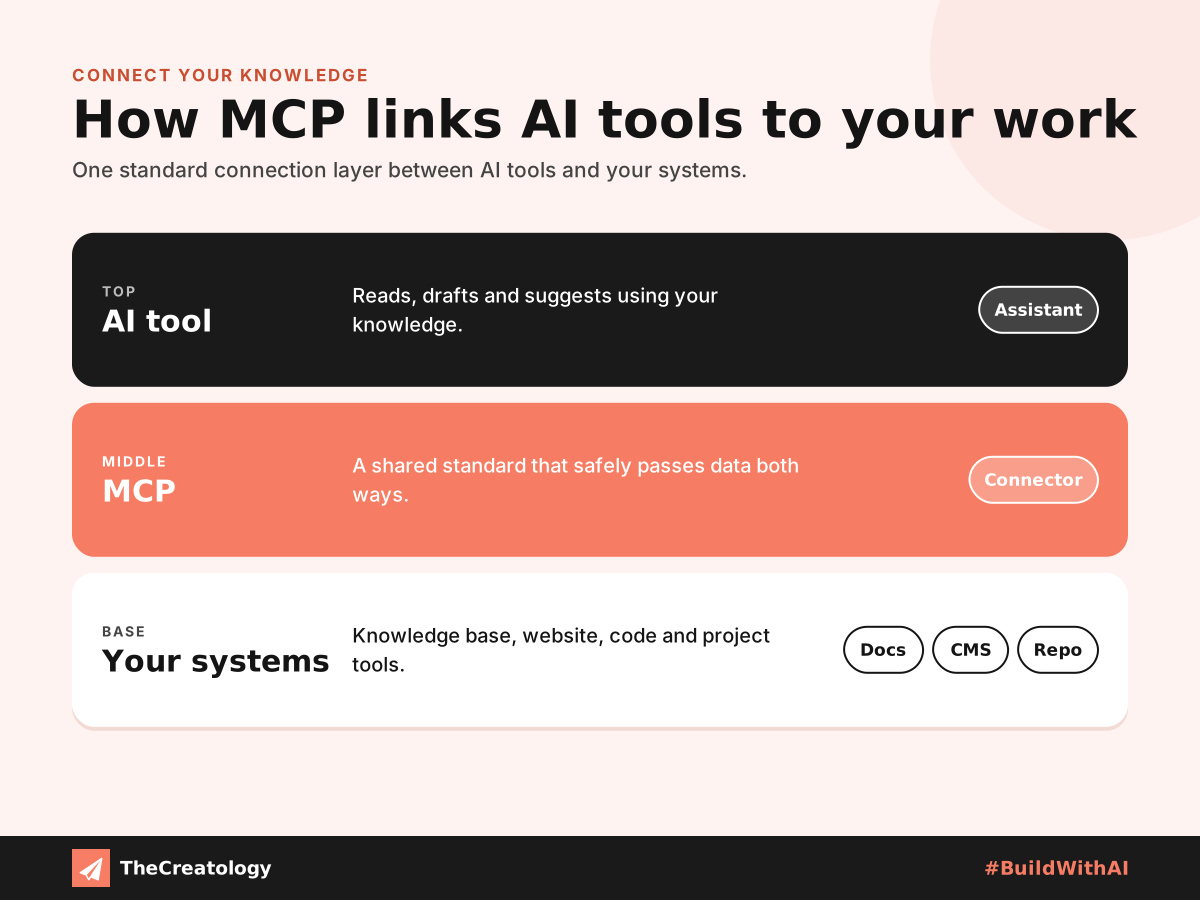
As a result, a tool can read your fix log before suggesting code. Similarly, it can check your standards before drafting a review.
A Real Example: Our Own Blog
We practise what we preach. At TheCreatology, we built a WordPress MCP plugin to run parts of this blog. Through it, intelligent tools draft posts, set SEO fields and create infographics, including the ones on this page.
Importantly, nothing saves without approval. Every change shows a preview first. Read the full story in From MCP to Your Desk.
Safety Rules Before You Connect
Connecting tools to your systems brings real power. Therefore, it also needs clear limits. Follow these rules from day one.
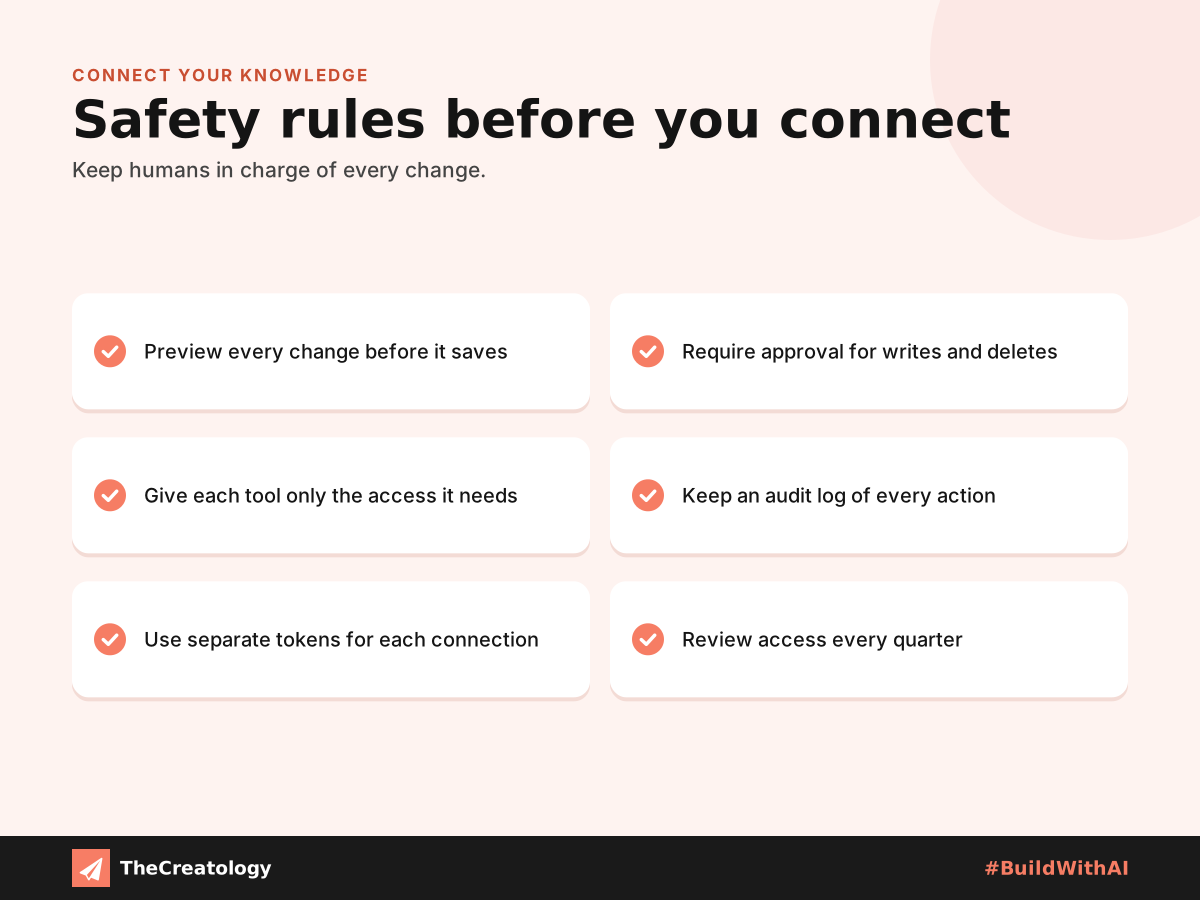
Golden rule: let tools suggest freely, but let people approve every change.
Where to Start When You Connect AI Tools
When you first connect AI tools to your systems, begin with read-only access. This way, tools can search your documentation without changing anything. Afterwards, once your team trusts the results, gradually allow limited, approved updates.
Furthermore, check the official Model Context Protocol documentation before choosing a connector. Meanwhile, keep a record of every connected system and its permissions. Consequently, you will always know exactly what each tool can access, and you can remove access quickly if necessary.
Connect AI Tools with MCP: Common Questions
Do I need to be a developer to use MCP?
Setting it up needs some technical skill. However, once connected, anyone on the team can use it through plain requests.
Is MCP safe for business data?
It can be, with the right rules. Use limited access, approvals and audit logs for every connection.
What should I connect first?
Start with one low-risk system your team knows well, such as your knowledge base or blog. Then, add more over time.
Own your knowledge, connect it safely, and your tools will grow smarter every week.
Want help connecting your systems? Talk to TheCreatology and #BuildWithAI.

Comments
Felt something? How about posting a comment below…