
To track ChatGPT traffic in Google Analytics 4, filter the Traffic acquisition report by session source. Because ChatGPT usually tags its links with utm_source=chatgpt.com, those visits appear clearly by name. For a complete picture, however, group every AI assistant into one dedicated custom channel.
Key Takeaways
- ChatGPT visits show up as a named source in GA4.
- A custom channel counts all AI assistants together.
- Some AI visits still appear as direct traffic.
- Sales and sign-ups matter more than raw visits.
Why Track ChatGPT Traffic?
More buyers now ask ChatGPT for recommendations before they ever open a search engine. As a result, AI assistants are quickly becoming a genuine source of qualified visitors. Without proper tracking, however, you cannot tell whether your AI visibility efforts are actually working. In short, what you measure consistently, you can improve deliberately.
Method 1: The Quick Report
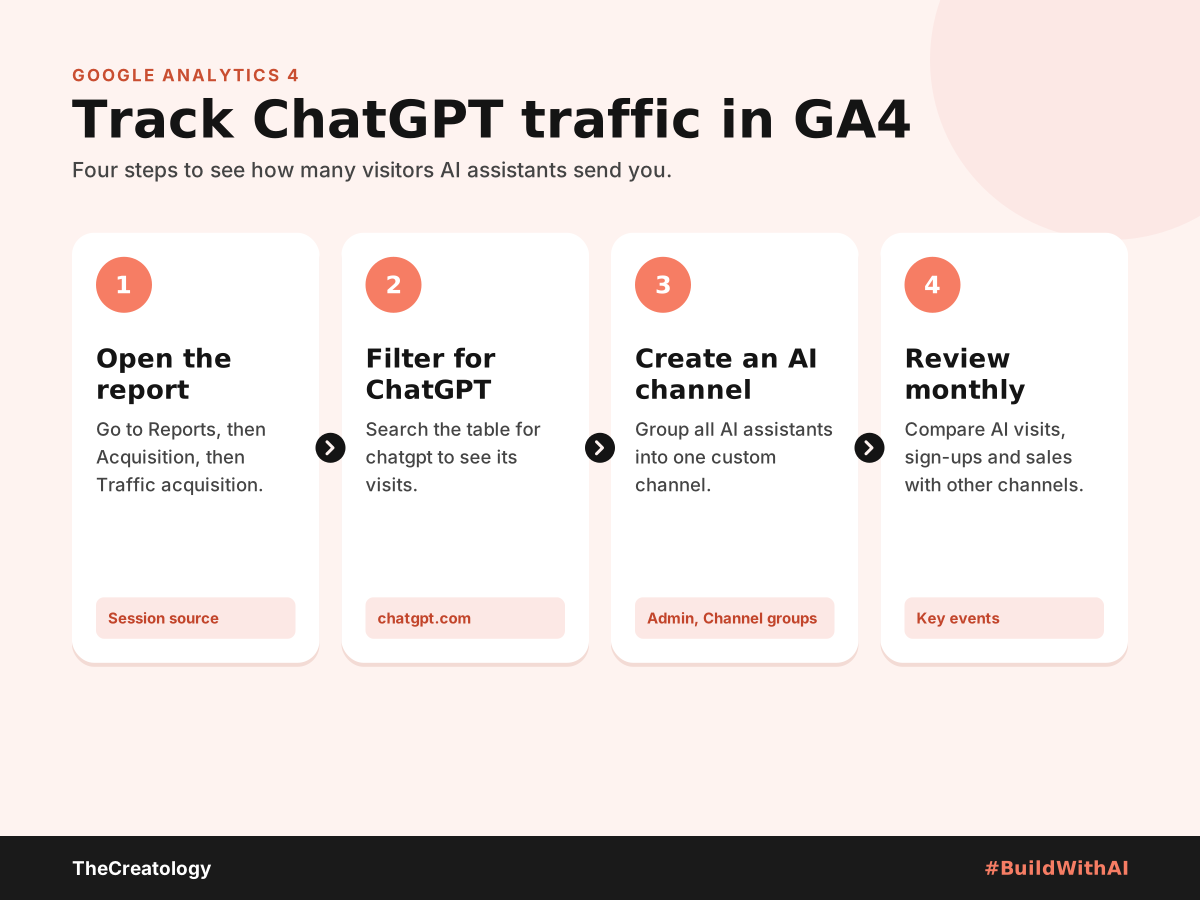
- First, go to Reports, then Acquisition, then Traffic acquisition.
- Next, change the table’s main column to Session source.
- Then, type chatgpt in the search box above the table.
- Finally, check sessions, engagement and key events for that row.
Method 2: An AI Assistants Channel
ChatGPT is not the only assistant sending visitors to business websites today. Therefore, build one dedicated channel that counts every AI assistant together.
- Go to Admin, then Data display, then Channel groups.
- Create a new channel group, or copy the default one.
- Add a channel called AI assistants, with source matching the regex below.
- Move it above Referral, so AI visits are not counted twice.
chatgpt\.com|openai\.com|perplexity\.ai|gemini\.google\.com|copilot\.microsoft\.com|claude\.ai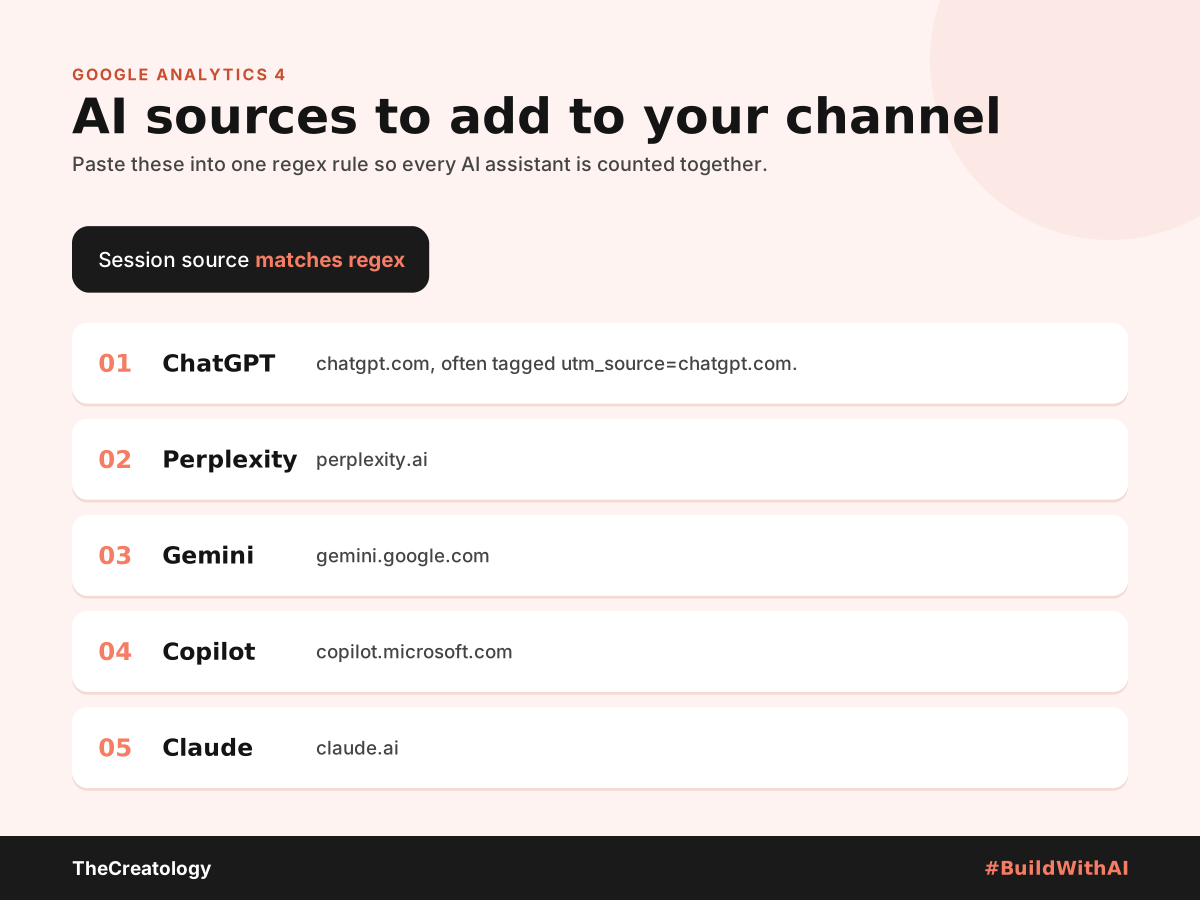
Build a Simple Monthly AI Report
Numbers only help if someone reads them. So, create one short report and review it on the first Monday of each month.
- Sessions: how many visits came from AI assistants.
- Engagement rate: whether AI visitors stay and read.
- Key events: enquiries, sign-ups or purchases from AI visits.
- Top landing pages: the pages AI tools send people to most.
For example, an online furniture store in NOIDA might find AI visitors land on its sofa size guide. In that case, it should link that guide clearly to the right products. Over time, these small fixes turn AI visits into sales. For more detail on setup, see this guide to AI referral tracking.
What GA4 Will Not Show
Analytics tracking is never perfectly accurate. For example, some mobile app visits lose their referral information and appear as direct traffic. Similarly, GA4 records clicks from Google’s AI Overviews as ordinary organic search. Therefore, treat your AI figures as a minimum estimate, not a complete total.
Turn the Numbers Into Action
Once tracking works, check which pages AI visitors land on. Then, improve those pages first. Our guides on getting products recommended by ChatGPT and SEO vs AEO vs GEO show what to fix.
Track ChatGPT Traffic: Common Questions
Why is my ChatGPT traffic so low?
AI answers often satisfy the question without a click. So, also watch brand searches and direct visits, which tend to rise together.
Can I see which prompts sent visitors?
No. GA4 shows the source and landing page, but not the question a user asked.
Does this work on Shopify and WooCommerce?
Yes. Whenever your store runs Google Analytics 4 correctly, both platforms report AI visits identically.
In short, give AI assistants their own channel, and watch it grow month by month.
Want AI traffic reporting set up for you? Talk to TheCreatology and #BuildWithAI.




Comments
Felt something? How about posting a comment below…